ScheduleSync
Upload your schedule from Workday to Google Calendar in seconds
1Get Your Schedule
Spreadsheet Download
How to get your schedule from Workday manually:
- Log into your Workday account
- Navigate to your course schedule or academic calendar
- Look for the "Export to Excel" button
- Click download when prompted
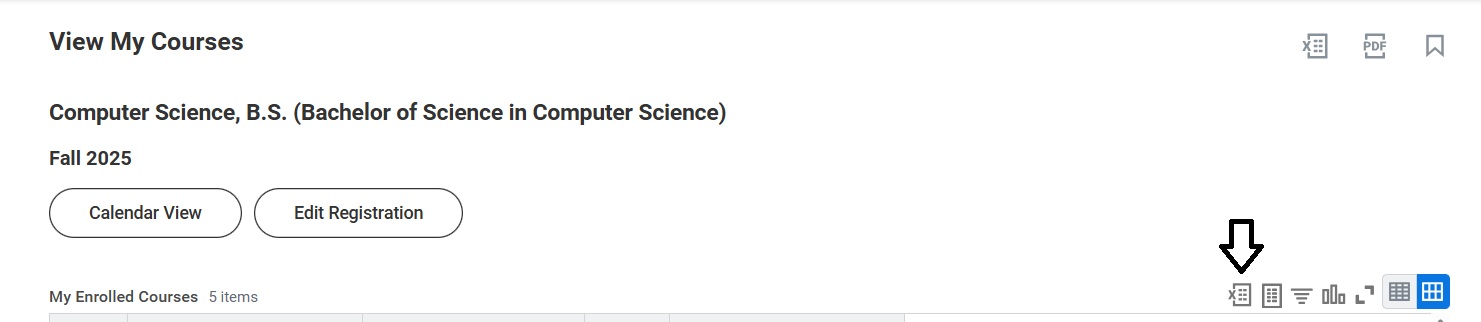
Look for the Export button in your Workday schedule view
Note: The Excel file should contain columns like Course Name, Days, Time, Location, etc.
2Upload Your Excel File
3Add to Your Calendar
Google Calendar (Recommended)
Connect your Google Calendar to add courses directly:
Authenticate with Google to add courses directly to your calendar
✅ Connected to Google Calendar!
Manual Download
ICS File: Import the downloaded .ics file into Google Calendar, Outlook, Apple Calendar, or any calendar application.